UX Design · Nava PBC · Maryland Paid Family Leave · Civic Tech

Making a Complex Government Benefit Feel

Simple to Use

Making a Complex Government Benefit Feel Simple to Use

As a contract designer at Nava, I helped design core features for Maryland's Paid

Family and Medical Leave Insurance program — translating dense policy

requirements into accessible, human-centered web experiences for Maryland's

2.5 million eligible workers.

Interaction Design

Contract

Accessibility

Government UX

USWDS

WCAG

MVP Delivery
The Challenge

Policy is complicated. The experience shouldn't be.

Maryland's FAMLI program is a public benefit giving eligible workers up to 12 weeks of paid, job-protected leave. Government programs of this scale carry real complexity: eligibility rules,

contribution structures, employer obligations, and legal requirements. The design challenge at Nava was to make none of that complexity the user's problem.

Maryland workers across a wide range of technical literacy, language backgrounds, and life circumstances needed to be able to register, understand the program, and receive the right information at the right time.

The constraint shaping every decision

All work had to conform to the U.S. Web Design System (USWDS) and meet WCAG accessibility standards — meaning design decisions had to survive through implementation, not just live in a spec file.

My Role

My contributions

What I led and owned

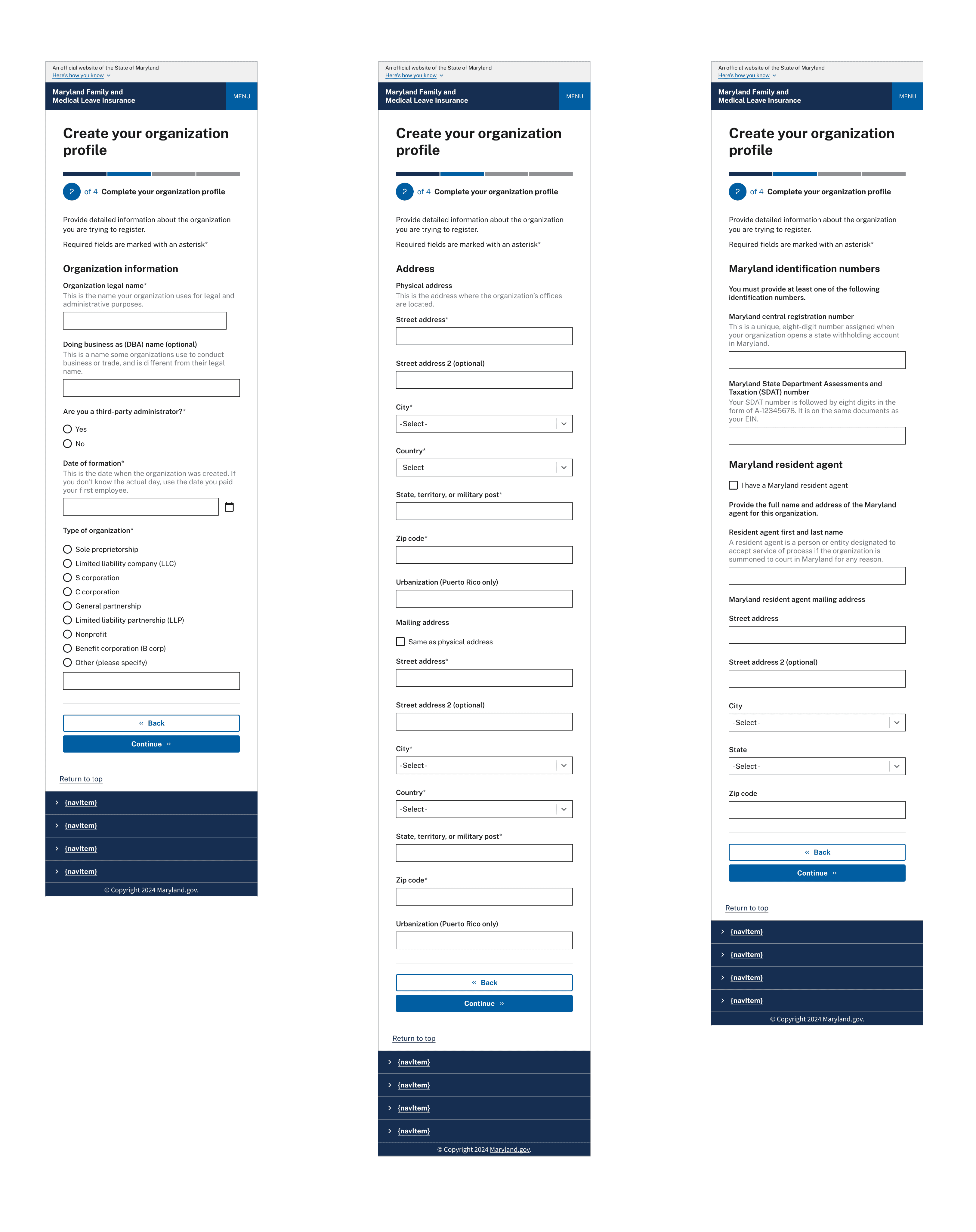
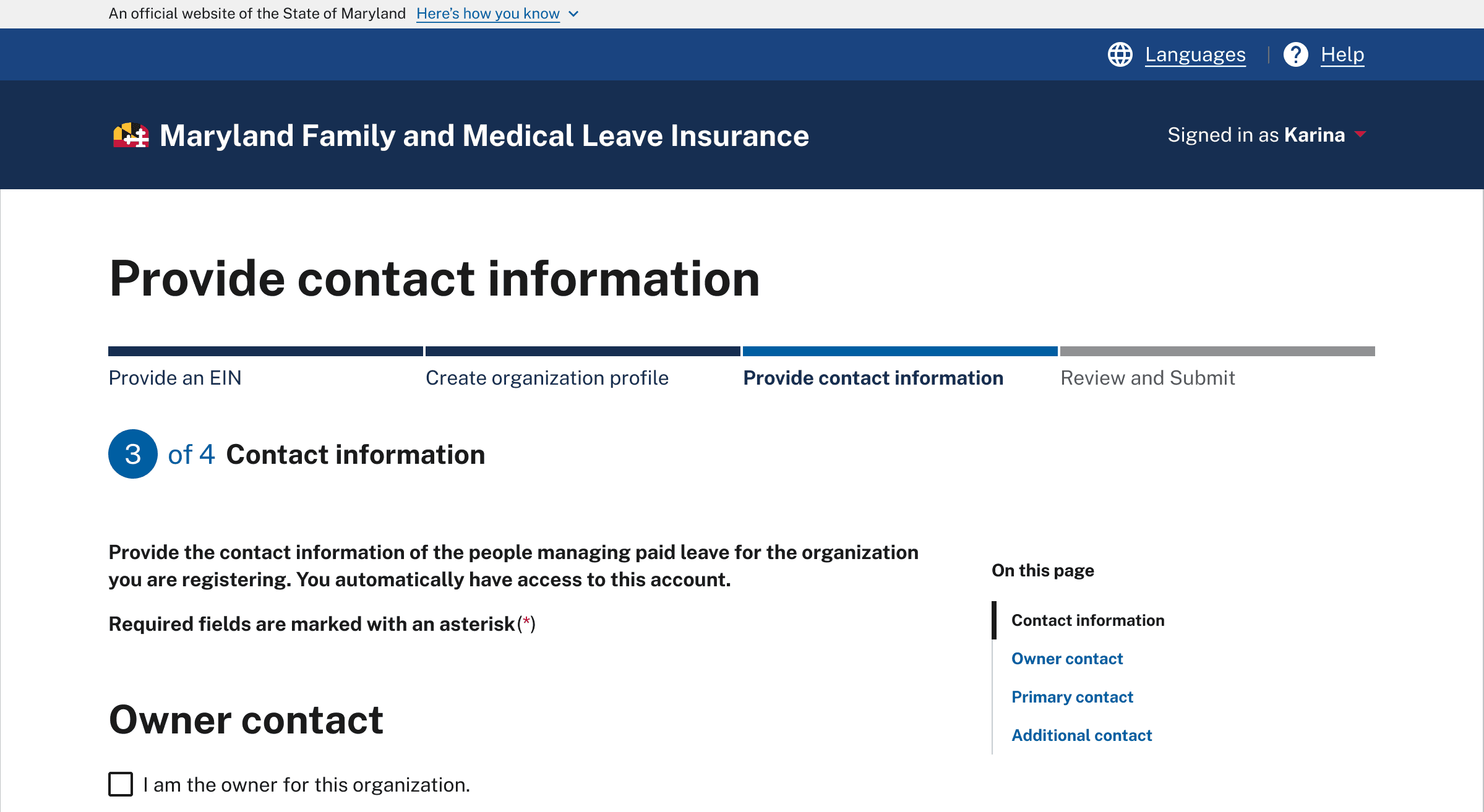
Designed the end-to-end registration flow — translating complex eligibility and policy requirements

into a clear, step-by-step experience for Maryland workers

Designed the end-to-end registration flow — translating complex eligibility and policy requirements into a clear, step-by-step experience for Maryland workers

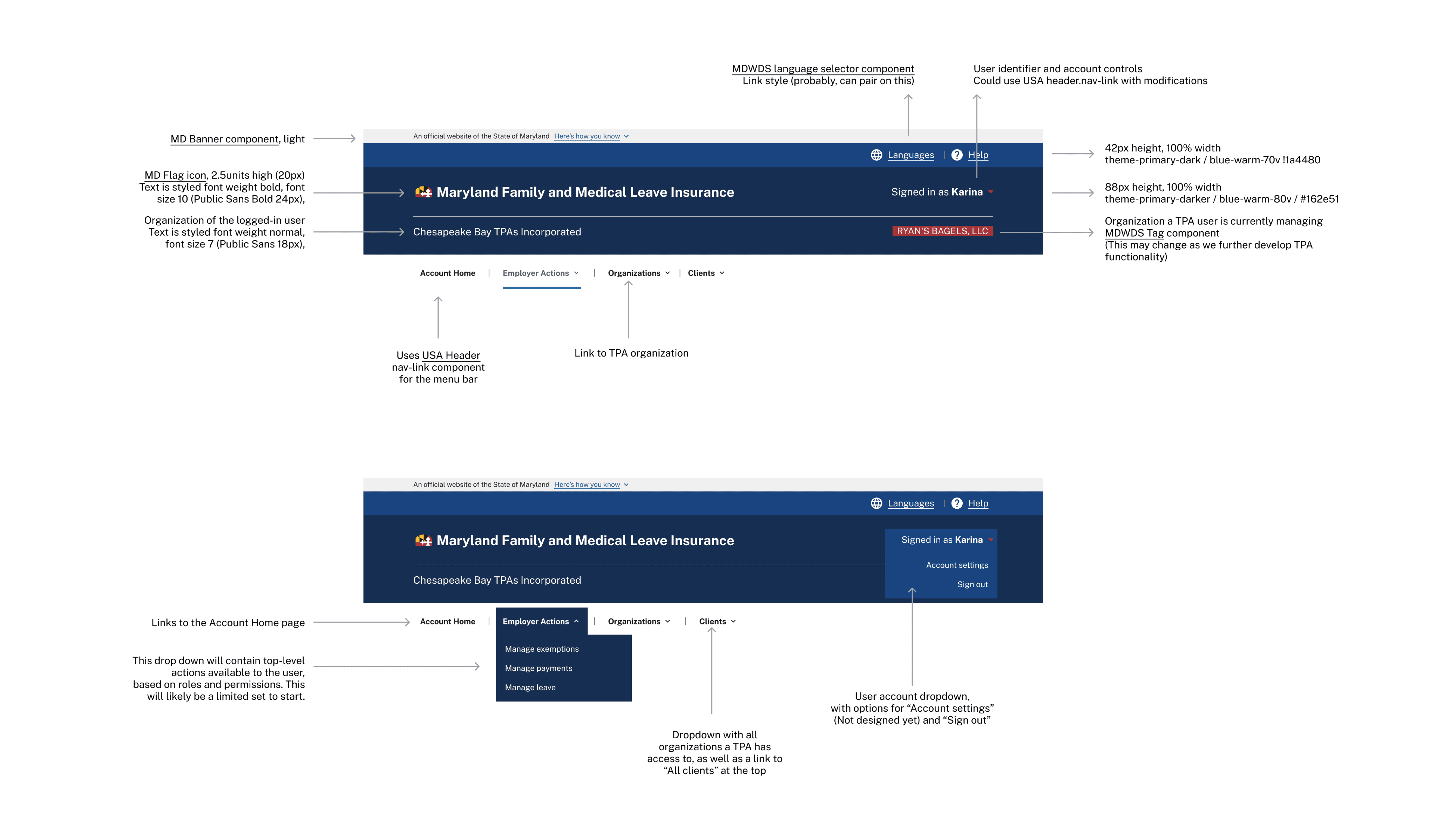
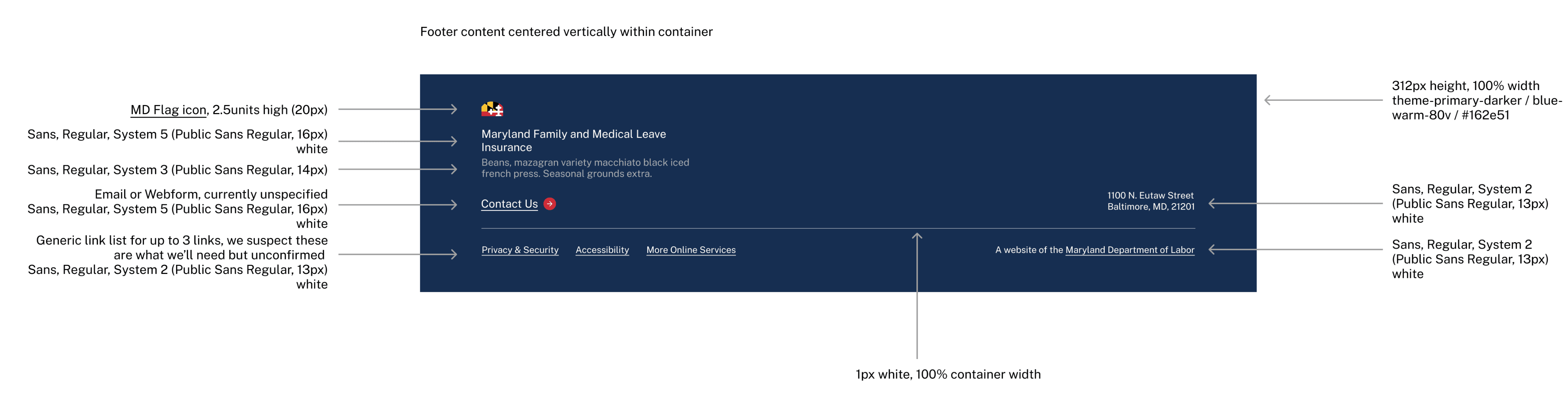
Designed the site header and footer — ensuring consistent, accessible global navigation that

worked across all pages and user states within the USWDS system

Designed the site header and footer — ensuring consistent, accessible global navigation that worked across all pages and user states within the USWDS system

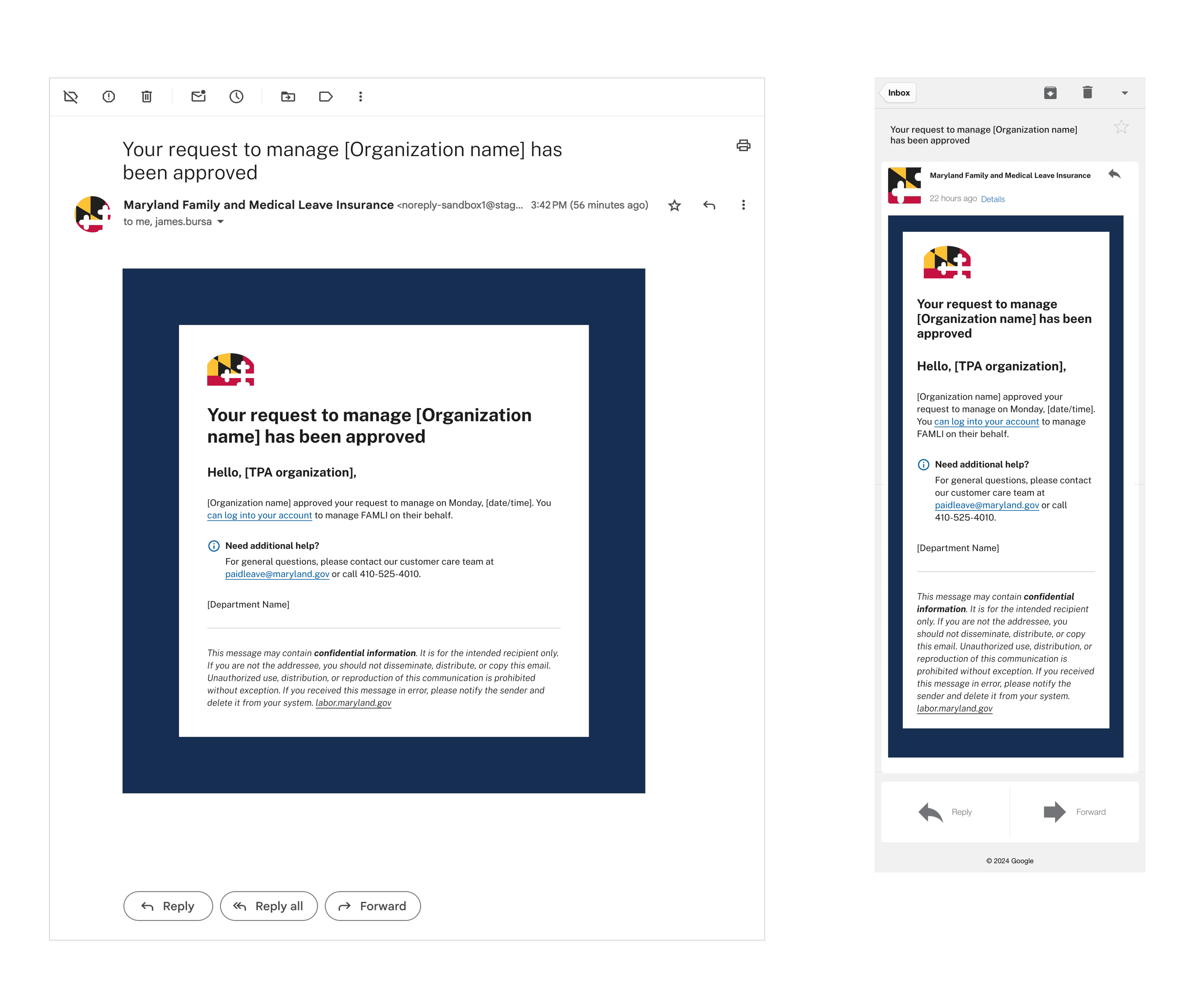
Designed email notifications — creating clear, plain-language communications that

kept users informed throughout their registration and enrollment journey

Partnered directly with front-end engineering to provide USWDS component recommendations

that preserved design intent through implementation

Partnered directly with front-end engineering to provide USWDS component recommendations that preserved design intent through implementation

Maintained WCAG accessibility standards throughout design and handoff — including color

contrast, focus states, form labeling, and interaction patterns

Maintained WCAG accessibility standards throughout design and handoff — including color contrast, focus states, form labeling, and interaction patterns

Collaborated with Product and Engineering to refine requirements and deliver the MVP for the

FAMLI website soft launch

Collaborated with Product and Engineering to refine requirements and deliver the MVP for the FAMLI website soft launch

The Work

Three pieces of a connected experience

The design work spanned three areas that together shaped how users first encountered, entered, and

stayed connected to the FAMLI program.

The design work spanned three areas that together shaped how users first encountered, entered, and stayed connected to the FAMLI program.

01

Registration flow

End-to-end onboarding that

guided users through eligibility,

account creation, and enrollment

— structured to reduce cognitive

load and translate policy

requirements into plain-language

steps

End-to-end onboarding that guided users through eligibility, account creation, and enrollment

— structured to reduce cognitive load and translate policy requirements into plain-language steps

02

Header + footer

Global site navigation designed

within USWDS constraints —

consistent, accessible, and

appropriately branded for a state

government program across all

pages and user states

Global site navigation designed within USWDS constraints — consistent, accessible, and

appropriately branded for a state government program across all pages and user states

03

Email notifications

Transactional emails that kept

users informed throughout

registration and enrollment —

plain-language, clearly structured,

and designed to reduce confusion

at key program milestones

Transactional emails that kept users informed throughout registration and enrollment — plain-language, clearly structured, and designed to reduce confusion at key program milestones

Accessibility + Standards

Designing within — and advocating for — the system

Government digital products carry a responsibility commercial products don't always share: the people

who need them most often face the most barriers to using them. Holding a high bar for accessibility

wasn't a compliance exercise — it was the point.

Government digital products carry a responsibility commercial products don't always share: the people who need them most often face the most barriers to using them. Holding a high bar for accessibility wasn't a compliance exercise — it was the point.

U.S. Web Design System (USWDS)

All components selected and recommended from the

USWDS — working directly with front-end engineering to

ensure design decisions translated accurately without

losing accessibility or visual intent

All components selected and recommended from the USWDS — working with front-end engineering to ensure design decisions translated accurately without losing accessibility or visual intent

WCAG accessibility guidelines

WCAG compliance maintained through design and

handoff — covering color contrast, focus states, form

labeling, and interaction patterns for users with varying

abilities and assistive technologies

WCAG compliance maintained through design and

handoff — covering color contrast, focus states, form labeling, and interaction patterns for users with varying abilities and assistive technologies

Working directly with engineering, not just handing off specs

Close collaboration with front-end engineers meant catching implementation drift early and providing

component-level guidance that kept accessibility and design intent intact through to launch.

Close collaboration with front-end engineers meant catching implementation drift early and providing component-level guidance that kept accessibility and design intent intact through to launch.

Outcome

A soft launch, on time and accessible

The FAMLI website MVP was designed with the registration flow, site navigation, and notification system as core pieces of the user experience for Maryland workers.

MVP delivered

Registration flow, header, footer,

and email notifications shipped for

the FAMLI website soft launch on

schedule

Registration flow, header, footer, and email notifications shipped for the FAMLI website soft launch on schedule

Accessible by design

USWDS and WCAG compliance

maintained through implementation — not just

specified in design files

USWDS and WCAG compliance maintained through

implementation — not just specified in design files

Policy made navigable

Complex eligibility and program

requirements translated into an

experience workers could use

without needing to understand the

policy behind it

Complex eligibility and program requirements translated into an experience workers could use

without needing to understand the policy behind it

Methods + Tools

Interaction design

User flow design

Navigation design

Email design

USWDS component system

WCAG accessibility

Design-engineering collaboration

Requirements refinement

Figma